Cesky: |
ARTONIX 3D engine
>>> UNFINISHED <<<
Artonix is a 3D engine based on 3D engine of the Peter program. The original intention was to create an easy-to-use 3D engine that is adaptable to different environments and requires only minimal implementation knowledge from the programmer. The project remained unfinished. Nevertheless, it uses some interesting elements that could serve as inspiration and as a semi-finished project for someone's own project.
The 3D objects are organized in a tree structure with local matrices (object joins and inheritance of transformations). Objects are manipulated by changing properties - e.g. texture selection, coordinates in space, etc. Each object can have up to 21 transformation operations in any order - scale, skew, rotation and transpose. Each object retains a render state (e.g., texture smoothing settings, material selection, transparency operations), and each state parameter can inherit from a selected source - the viewport, the parent, or a global setting. Object geometry, textures, and materials can be shared between multiple objects, speeding up rendering and reducing system and graphics memory requirements. The engine is developed in Visual Studio C++ 2005.
Download engine Artonix (3,7 MB) ... compilation in Visual Studio C++ 2005
Interface
Artonix supports DirectX 3, DirectX 5, DirectX 6, DirectX 7, DirectX 8, DirectX 9, OpenGL 1.0 and OpenGL 1.1. The scene can be rendered simultaneously in multiple views and multiple render frames (they can run in different windows). Each frame can use a different engine - in the screenshot below, OpenGL 1.1, DirectX 3 to 9 are running simultaneously. The bottom 3 views are one DirectX 9 frame with 3 viewports (different view directions). There is a bit of a problem with OpenGL - not running multiple frames at the same time, with multiple viewports in one frame you can't clear the background in just one viewport.

Constructor
The engine has an object builder. It is possible to create many types of 3D objects generated programmatically - triangle, square, circle, intermediate circle, static object, cube, sphere, hemisphere, ring (torus), half-ring, cylinder, hollow cylinder, cone, conical cone, poweroid (steepness - power can be specified), comoving poweroid, rootoid (square root), comoving rootoid, paraboloid, comoving paraboloid, quartoid, comoving quartoid, hyperboloid, wheel, capsule, figure, prism, star, tetrahedron, octahedron, dodecahedron, dodecahedron. For objects, you can define the complexity, whether to create bases, and for rotating objects, the angle of the cutout. The objects are texture mapped (usually the texture evenly surrounds the surface of the entire object). Geocubes and 2D spatial objects (with depth) are missing.

Deformer
In addition to the usual transformations (using matrices), it is possible to deform the object mesh directly and in real time: transpose, skew, twist, bulge, squash, taper, whirl, waving, rings, bend, sag, rotate, scale constraints. Not all deformations handle normals correctly, some require additional re-generation of normals - support for fast re-generation of normals available.

Modifier
The modifier allows you to perform operations with objects - cutting objects with a plane or sphere, merging objects, inverting objects, reversing normals, changing the orientation of surfaces, automatic calculation of normals, fast re-generation of normals, merging and unmerging vertices, reducing unused vertices.
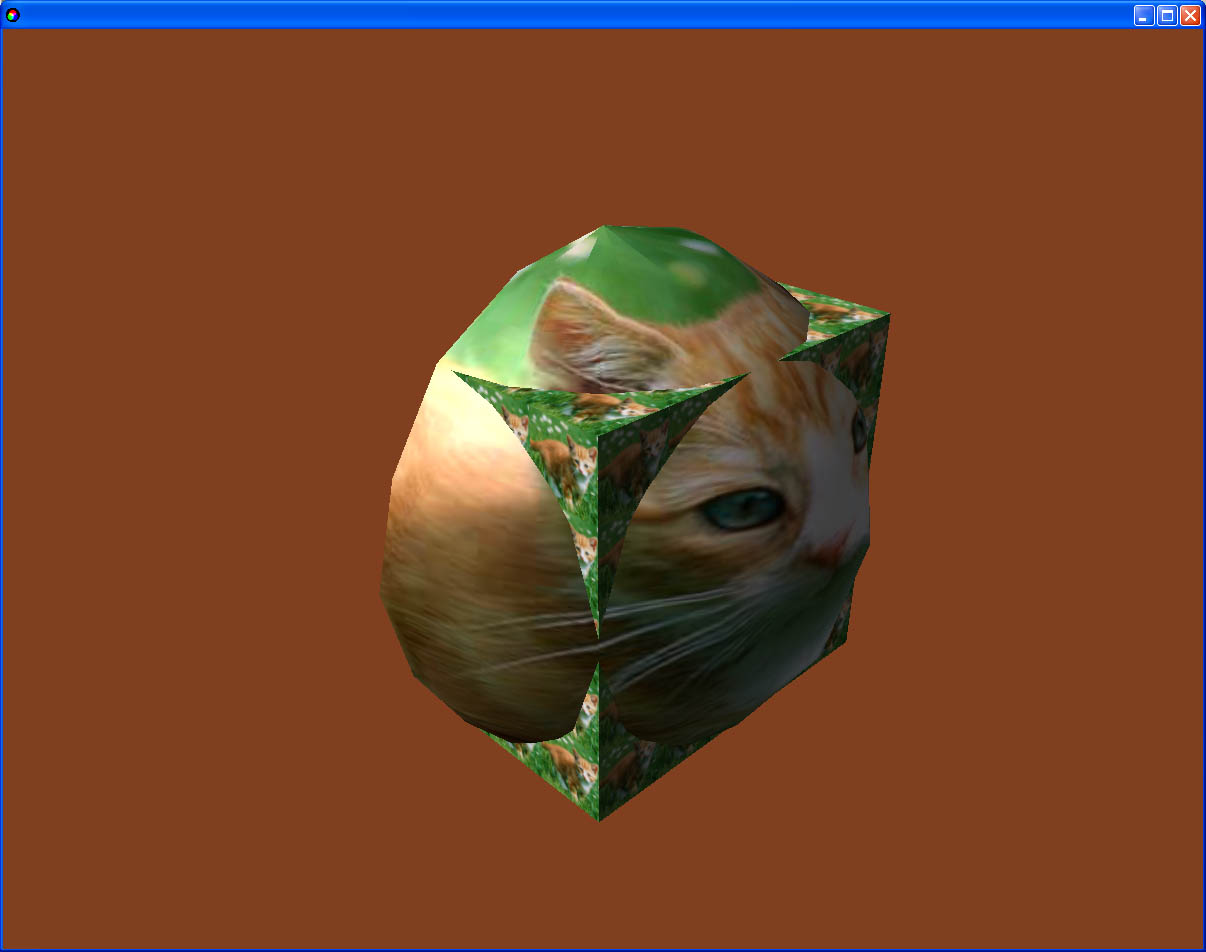
Textures
BMP, TGA, DDS, JPG and PNG files can be loaded as external textures, and textures can be saved to BMP, TGA and DDS files.
BMP files can be in bit depths of 1, 4, 8, 16, 24 and 32 bits (RGB or palette), with support for RLE compression and vertical orientation detection. An alpha channel BMP variant (as a 32-bit BMP with automatic detection of whether it contains an alpha channel) and an 8-bit grayscale variant are supported. Can be saved to BMP files with 8, 16, 24 or 32-bit bit depth, without compression, with alpha channel support.
TGA files are supported in bit depths of 8 (palette or gray), 16, 24 and 32 bits, including RLE compression, with or without alpha channel. TGA format can be saved at bit depths of 8, 16, 24 or 32 bits, without compression, with alpha channel support.
DDS files are a format designed specifically for textures, so it supports the widest range of formats, including DXT compressed textures. The textures loaded can be in 8, 15, 16, 24 or 32 bit format, RGB or BGR orientation, with alpha channel support. In addition to common formats, special texture formats A4R4G4B4, A8L8, A4L4, R3G3B2, DXT0 to DXT5, and others are also supported. Loading mipmaps is supported. All formats are also supported when saving.
For JPG files, bit depths of 8 bits (grayscale) and 24 bits are supported. Saving is not supported.
PNG files can have bit depths of 2 (palette), 4 (palette), 8 (palette or grayscale), 16 (grayscale with alpha), 24 (RGB) and 32 bits (RGB with alpha). Interlaced format and Huffman compression with a fixed or dynamic table are supported. Saving to PNG is not supported.
By the way, PNG was a pretty tough nut to crack :-). But unlike other systems, the source code for PNG is contained coherently in a single cpp file and easily portable to other applications.
The engine internally stores the textures in the most optimal format, saving memory and time. Supported internal formats are: R8G8B8. R5G6B5, L8, R3G3B2, A8R8G8B8, A1R5G5B5, A4R4G4B4, A8L8, A4L4, A8, DXT0 to DXT5. All formats can be freely converted between each other, including compression and decompression of DXT formats. Operations such as texture resizing, cropping, flipping, alpha channel generation, mipmap generation are supported for all formats.
When rendering a texture, the most suitable format is automatically searched for the best fitting texture. If necessary, the texture format is automatically converted to the exported format.
Functions for automatic texture mapping - projection plane, sphere or cylinder, chrome, lens. Chrome and lens mapping is quite imperfect and buggy.

A wide range of functions can be performed with textures. Textures can be resized, cropped, inverted, cut out, filled with color or alpha (by setting, adding, subtracting, modulating, demodulating, minimizing, maximizing), changing brightness, contrast and gamma, automatic alpha channel generation, swap or copy color channels, add another texture, subtract, multiply, inverse multiply, minimize or maximize with another texture, render a rectangle, ellipse, box, line, text, other texture. Rendering functions can be performed by optional set operation, addition, subtraction, inverse subtraction, multiplication, inverse multiplication, modulation by source or target alpha component.

Dialogs
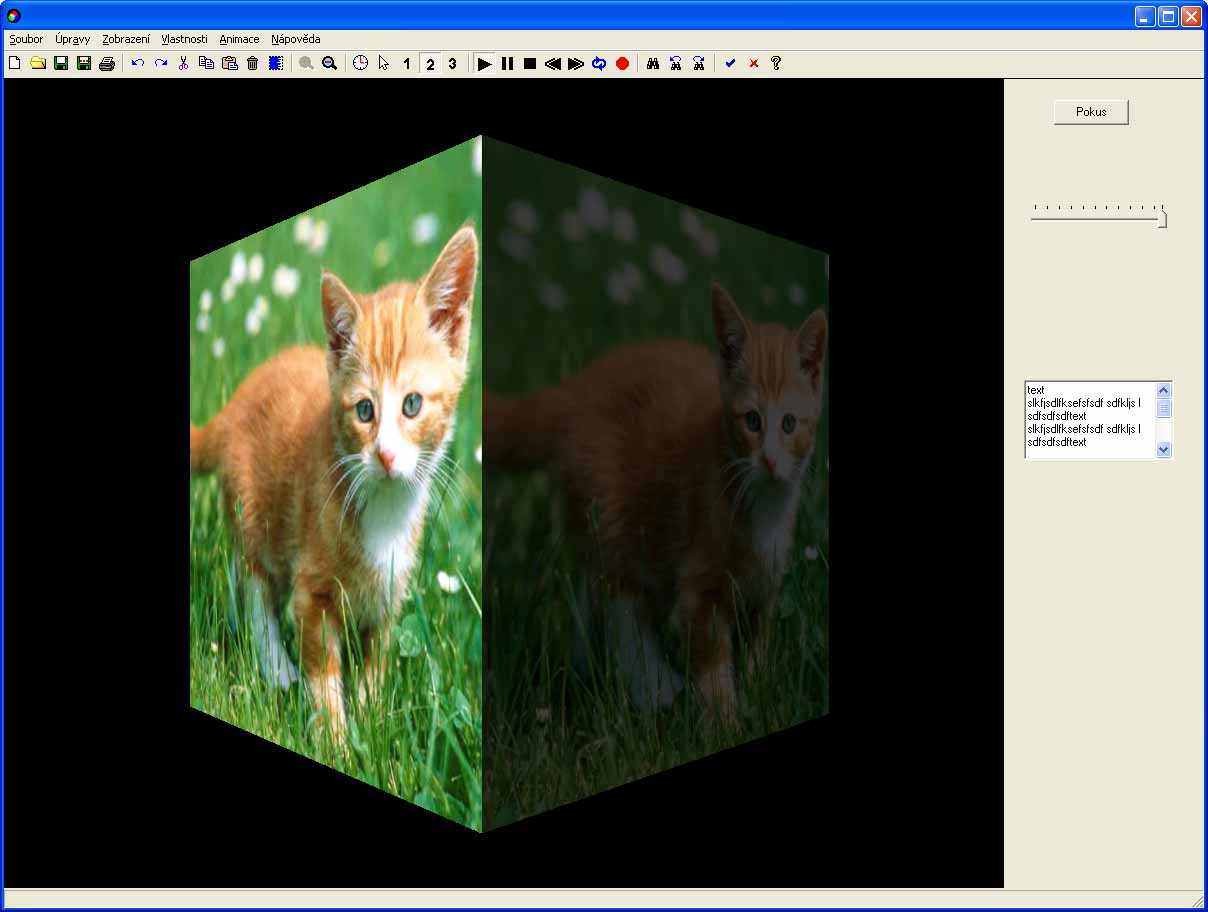
In order to use the engine as a Windows application, support for Windows dialog elements (via API) has been added: buttons, switches, lists, edit boxes, pull tabs, bookmarks, toolbar, etc. Text strings support has been added (hopefully quite good). Can be used as libraries in other Windows applications.
Controls
Keyboard key support is available - input of keys with virtual code or keys with character value, inputs are buffered. Any key can be tested for pressing.
For mouse control there is current mouse cursor coordinates, mouse button press input (5 buttons - left, right, middle, ext1 and ext2), button hold testing, mouse scroll wheel. Changeable mouse cursor appearance in window overlay areas. Mouse control can be locked to the center of the window and only change position is sensed.
Sounds
The engine allows loading and saving sounds in WAV or MP3 format (the saved MP3 sound has some compatibility bugs). It is possible to convert sound between different formats (e.g. compression to ADPCM or MP3), mono/stereo conversion, 16/8 bit, sound speed conversion, reversion, channel swapping, channel volume change, fade in/out, tone generator, remove or cancel part of sound, merge sounds, mix sounds.
The engine allows you to use two interfaces for working with sounds - global sounds and 3D sounds.
Global sounds use the Windows waveout interface. It is used, for example, to play music in the background. It allows you to play compressed sounds, but does not allow you to change the volume, balance or speed of the sounds. Multiple sounds can be played at once.
3D sounds use the DirectSound interface with shared buffers. For each sound, the volume, balance, and playback speed can be changed independently (and with instantaneous response). 3D sounds can be bound to a 3D object and thus played in relation to the camera - changing volume and balance according to the distance and direction of the object from the camera. 3D sounds can be automatically generated at random intervals and at random speeds.
Tutorials
A few basic tutorials were prepared:


And a couple of ready-made programs for tutorials:


Download engine Artonix (3,7 MB) ... compilation in Visual Studio C++ 2005
Miroslav Nemecek

